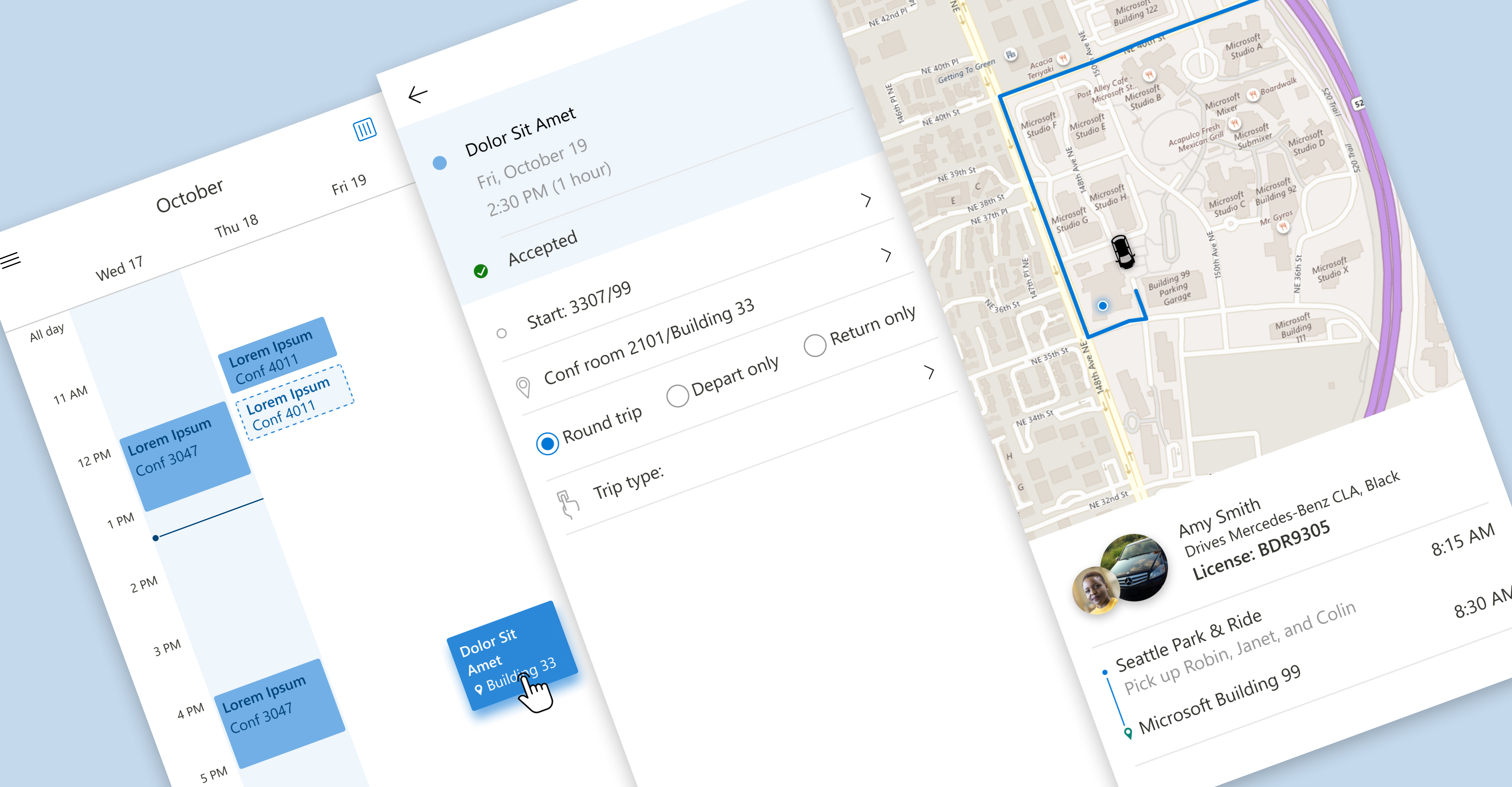
As hybrid and distributed work became more common, employees increasingly relied on offsite meetings and in-person collaboration sessions to reconnect with teammates.
However, coordinating transportation for these meetings often became unnecessarily time-consuming. Employees frequently:
- Sent multiple chat messages to coordinate rides
- Manually compared schedules and availability
- Struggled to determine who was attending in-person
- Coordinated transportation outside existing workflows
Our hypothesis was simple:
If rideshare coordination could happen directly within the calendar workflow employees already used, we could reduce friction around attending offsite meetings and increase engagement with Microsoft 365 collaboration tools.
The opportunity wasn’t simply improving transportation.
It was improving workplace coordination.
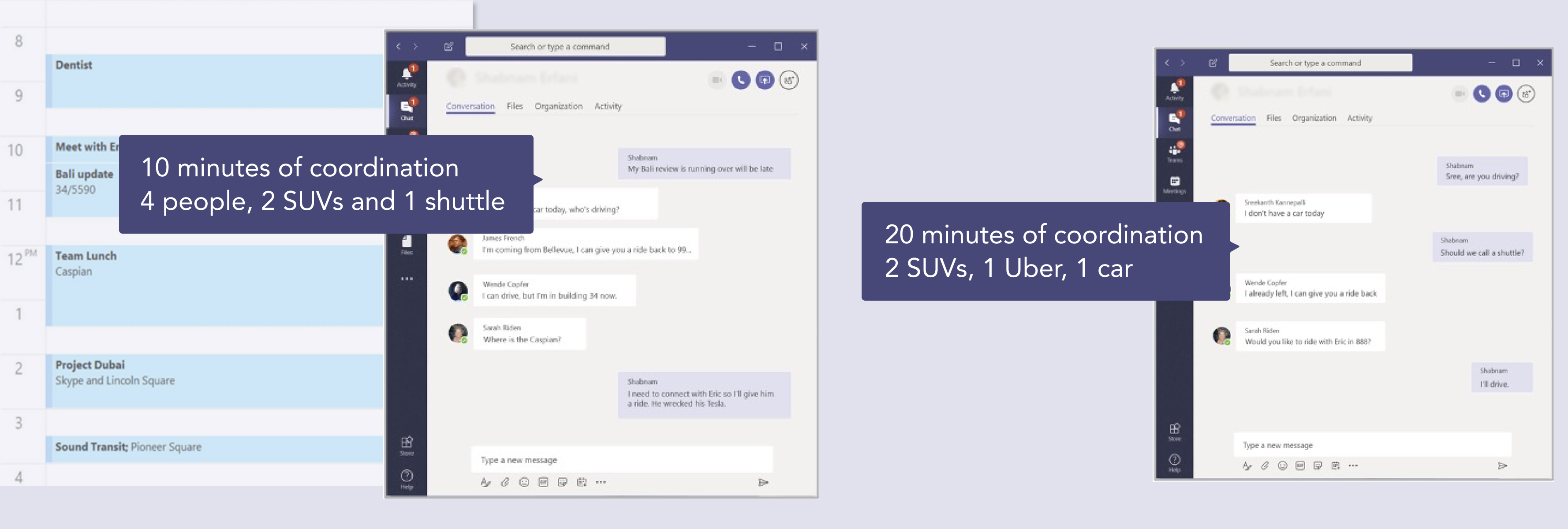
The choreography is invisible until you map it.
During early discovery research, I found that transportation coordination was rarely treated as part of the scheduling experience, even though it heavily influenced attendance and participation.
Employees constantly negotiated:
- Departure timing
- Ride availability
- Attendee coordination
- Office presence
- Changing schedules
Most of this happened manually across:
- Outlook calendars
- Teams messages
- Email threads
- External rideshare apps
The process itself wasn’t technically difficult. But the coordination overhead created unnecessary friction around collaboration.
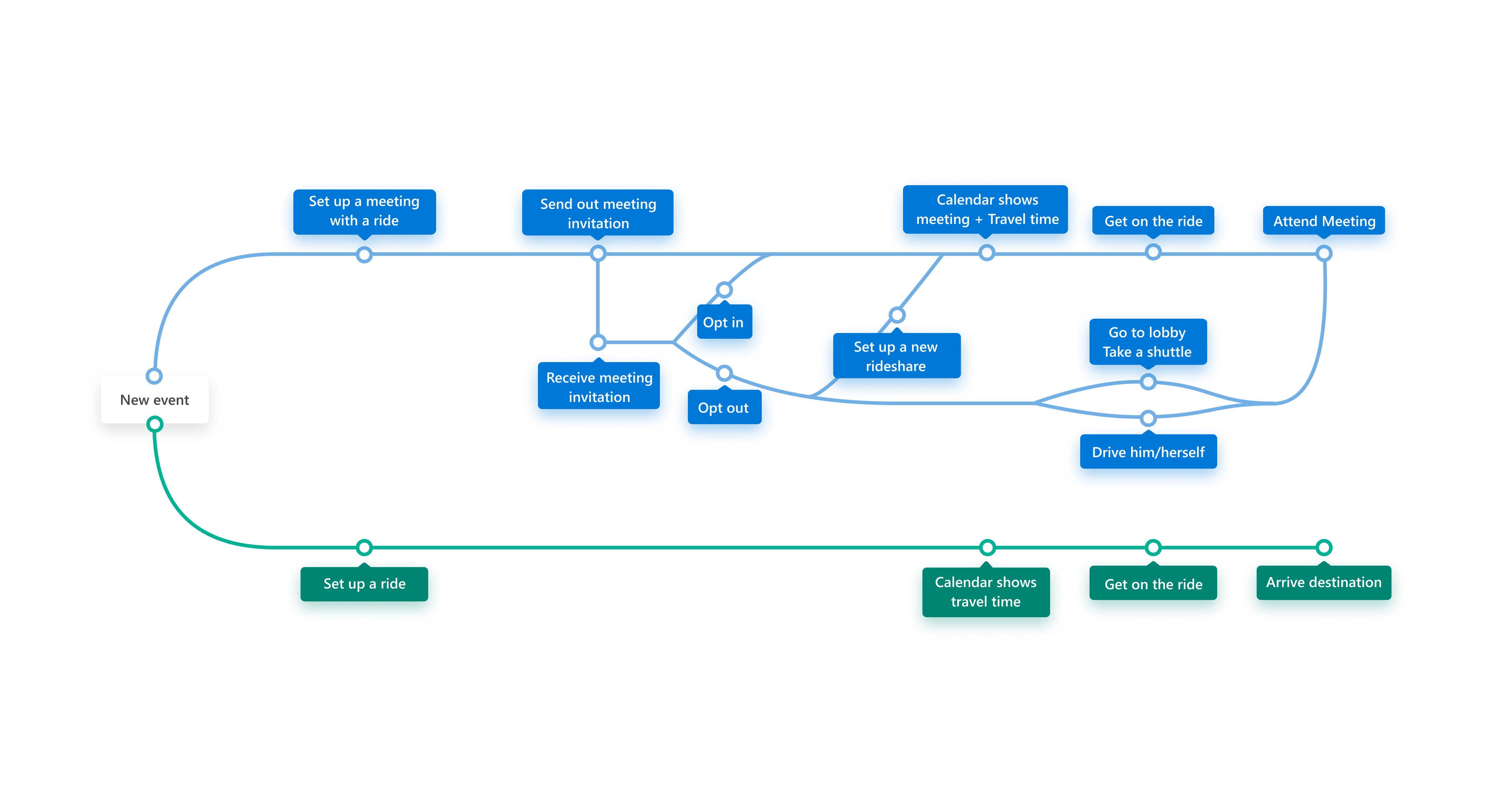
A timeline, not a portal.
One of the core product decisions was avoiding the creation of a standalone transportation app. Instead, I explored how rideshare coordination could become a lightweight extension of the calendar workflow users already trusted and understood.
The prototype integrated directly into the scheduling experience:
- Detecting offsite meetings
- Identifying nearby attendees
- Suggesting rideshare groups automatically
- Adapting recommendations based on availability and location
Rather than requiring users to “manage transportation,” the system surfaced contextual coordination opportunities at the right moment inside the existing workflow.
The experience shifted from: ❌ manually organizing rides to ✅ passively coordinated collaboration
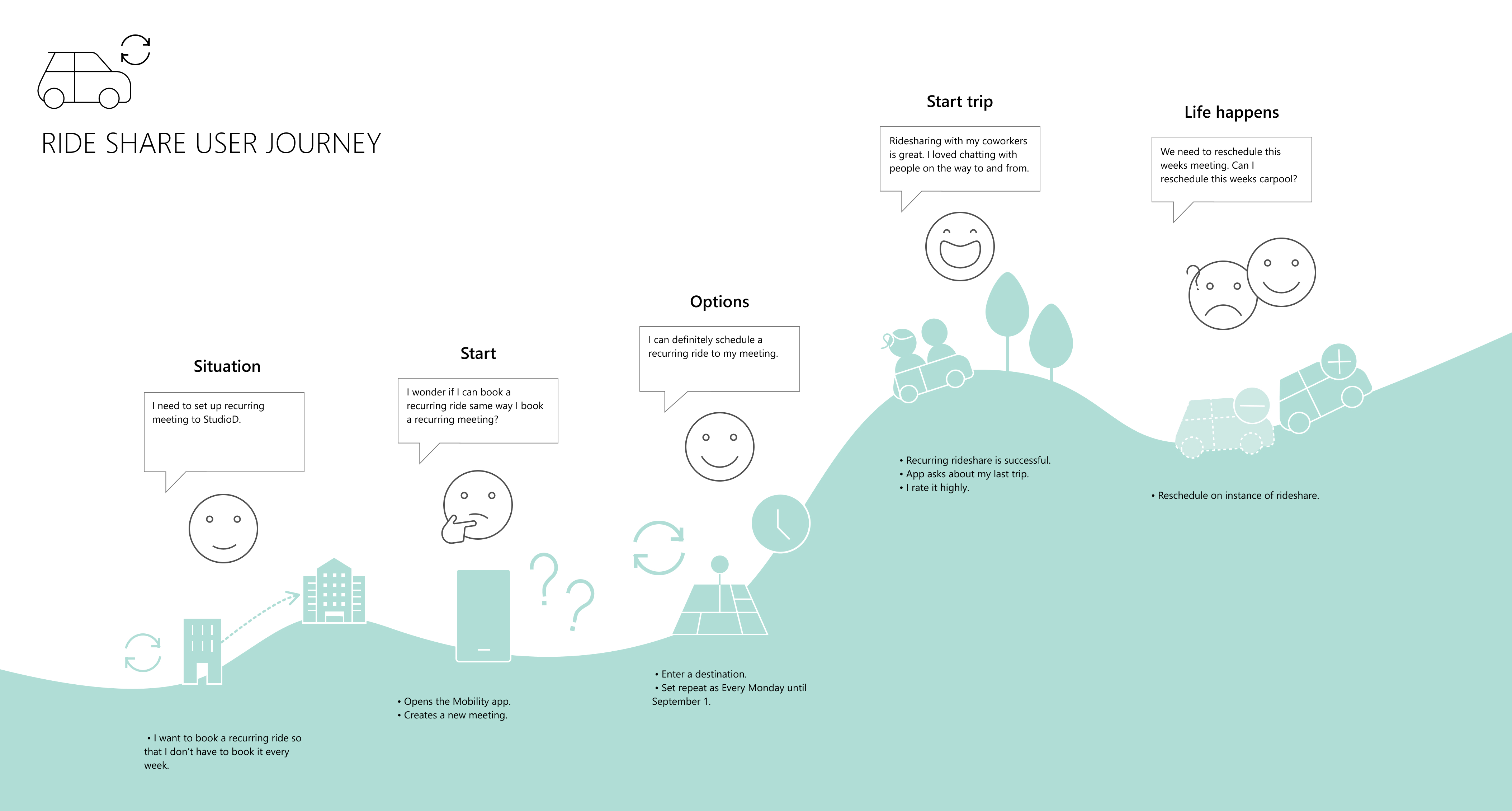
The hardest part was the seams.
The biggest design challenge was orchestrating coordination across multiple disconnected systems:
- Outlook calendar infrastructure
- Workplace scheduling
- Attendee availability
- Location awareness
- Transportation services
Every system had different constraints, ownership, and assumptions.
The challenge became:
How do we make coordination feel seamless without introducing additional complexity into workflows employees already depend on daily?
This required thinking beyond individual screens and designing for orchestration across interconnected systems.
From concept to experimentation.
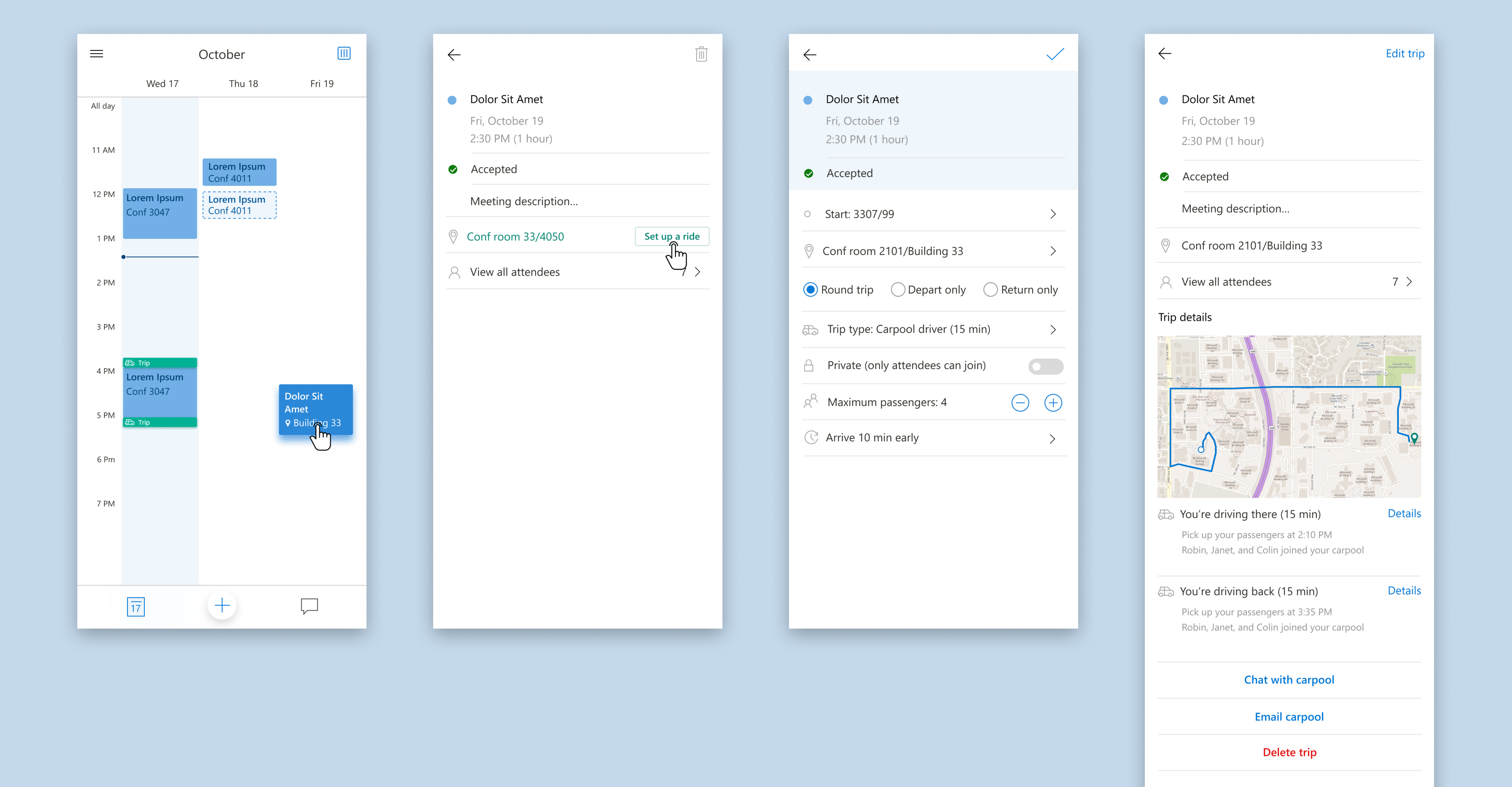
To validate the hypothesis, I designed and prototyped a rideshare coordination experience integrated directly into the calendar workflow.
When employees scheduled an offsite meeting, the system automatically:
- Identified nearby attendees
- Suggested rideshare groupings
- Surfaced coordination opportunities
- Adapted recommendations based on meeting changes
We launched the prototype internally at Microsoft and gathered qualitative user feedback, behavioral usage signals, and workflow observations. The response was strongly positive.
Users consistently reported that the experience reduced manual coordination effort, eliminated unnecessary chat/email exchanges, and made offsite collaboration feel easier and more organized.
Designing toward integration.
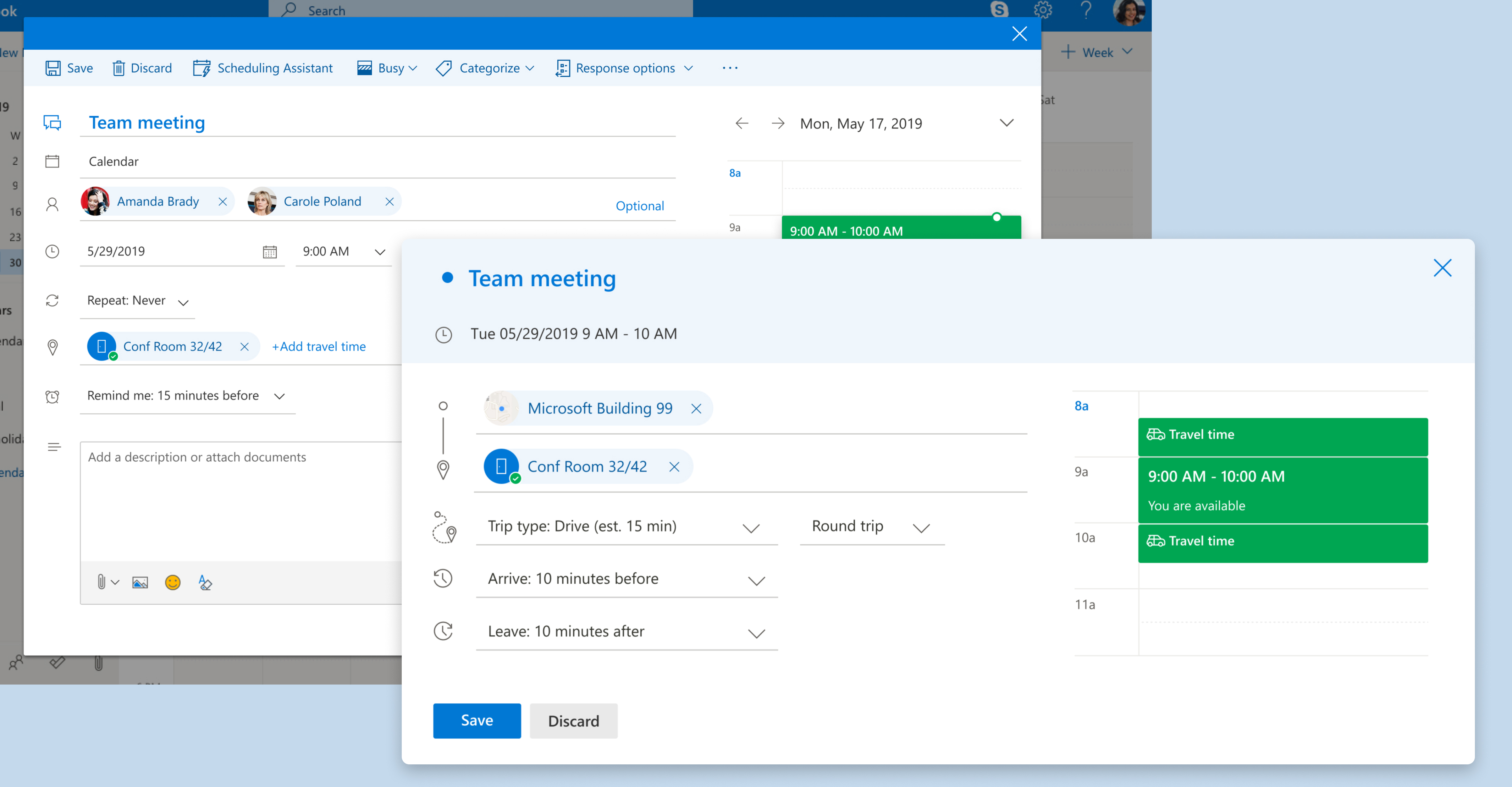
Based on the early feedback and engagement signals, we iterated on the concept and partnered more closely with the Outlook team to explore deeper calendar integration opportunities.
The project evolved from a standalone experimental concept to a more scalable vision for contextual workplace coordination integrated directly into Microsoft 365 workflows.
This phase reinforced the importance of:
- Launching lightweight experiments early
- Validating assumptions with real users
- Designing for ecosystem integration rather than isolated features
Where it landed.
The project became a valuable internal exploration into how workplace coordination systems could evolve beyond traditional scheduling tools.
Potential Outlook ecosystem reach
Cross-team Microsoft 365 discussions influenced
Positive internal employee feedback
Takeaways
- Strengthened my approach to designing contextual experiences that integrate naturally into existing workplace workflows instead of introducing additional coordination overhead.
- Reinforced the importance of hypothesis-driven design and rapid experimentation to validate product ideas through real user behavior and feedback.
- Deepened my systems-thinking mindset by designing across interconnected ecosystems including calendar infrastructure, workplace coordination, and transportation services.